
FigureStyle
You rewrite the same lighting, background, cartoon-style, and export commands for every figure? FigureStyle turns that into a one-click template: define lighting, per-secondary-structure cartoon style, coloring (including AlphaFold pLDDT), and export settings once, save it under a name, and apply it to any structure — from the GUI or the command line.
Before you start: preparing your structure
FigureStyle styles whatever's already open — it doesn't edit the structure itself.
Prepare the structure first
If you need to crop, mutate, fetch from AlphaFold/PDB, or otherwise prepare a model before styling it, a sibling ChimeraX plugin, ChopChopMF, covers that step. Use it to get the structure into shape, then FigureStyle to style and export the figure.
Finding it in ChimeraX
Once installed, FigureStyle adds a button under the Graphics tab of ChimeraX's toolbar:
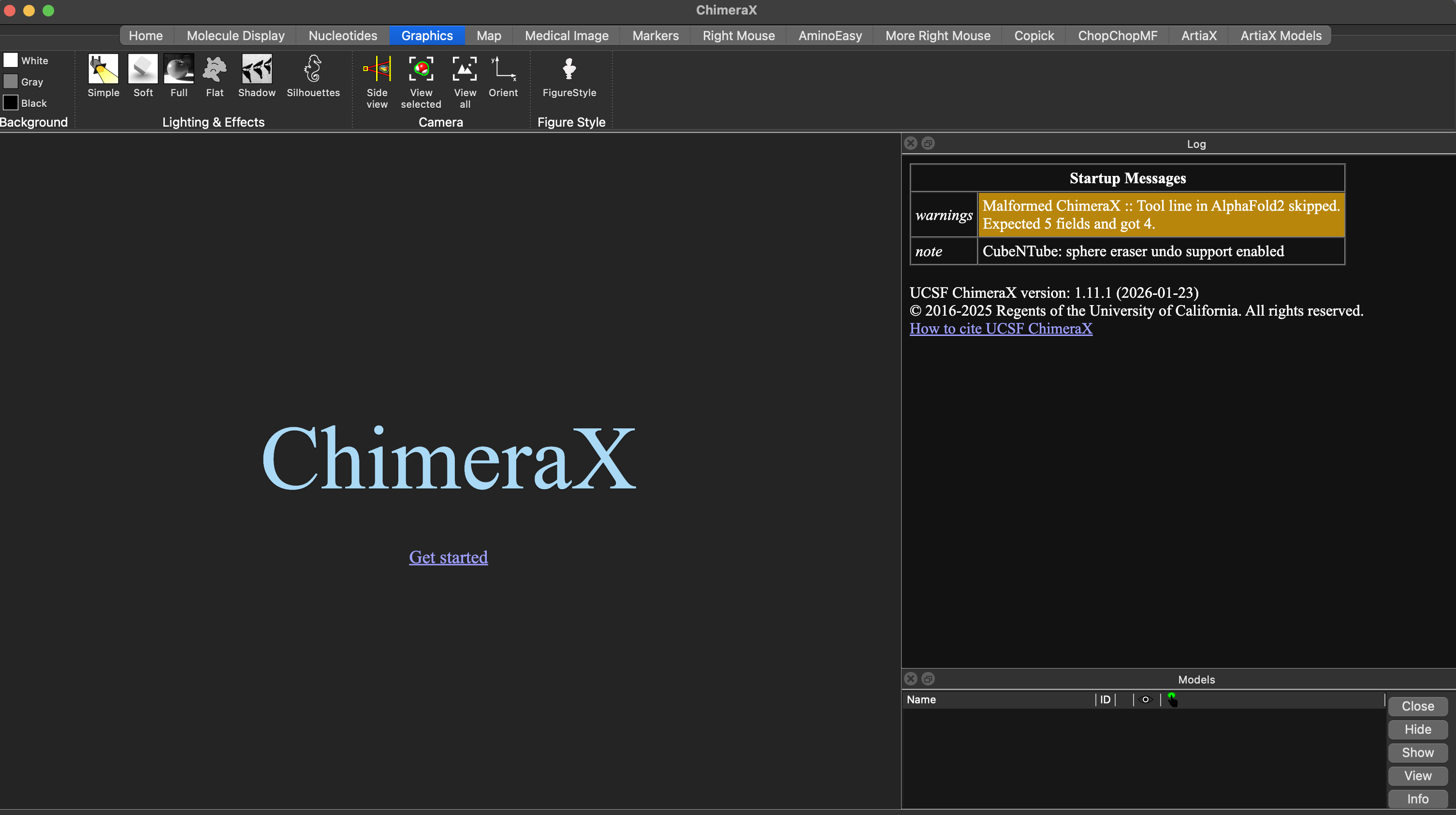
You can also open it via Tools → General → FigureStyle, or from the command line:
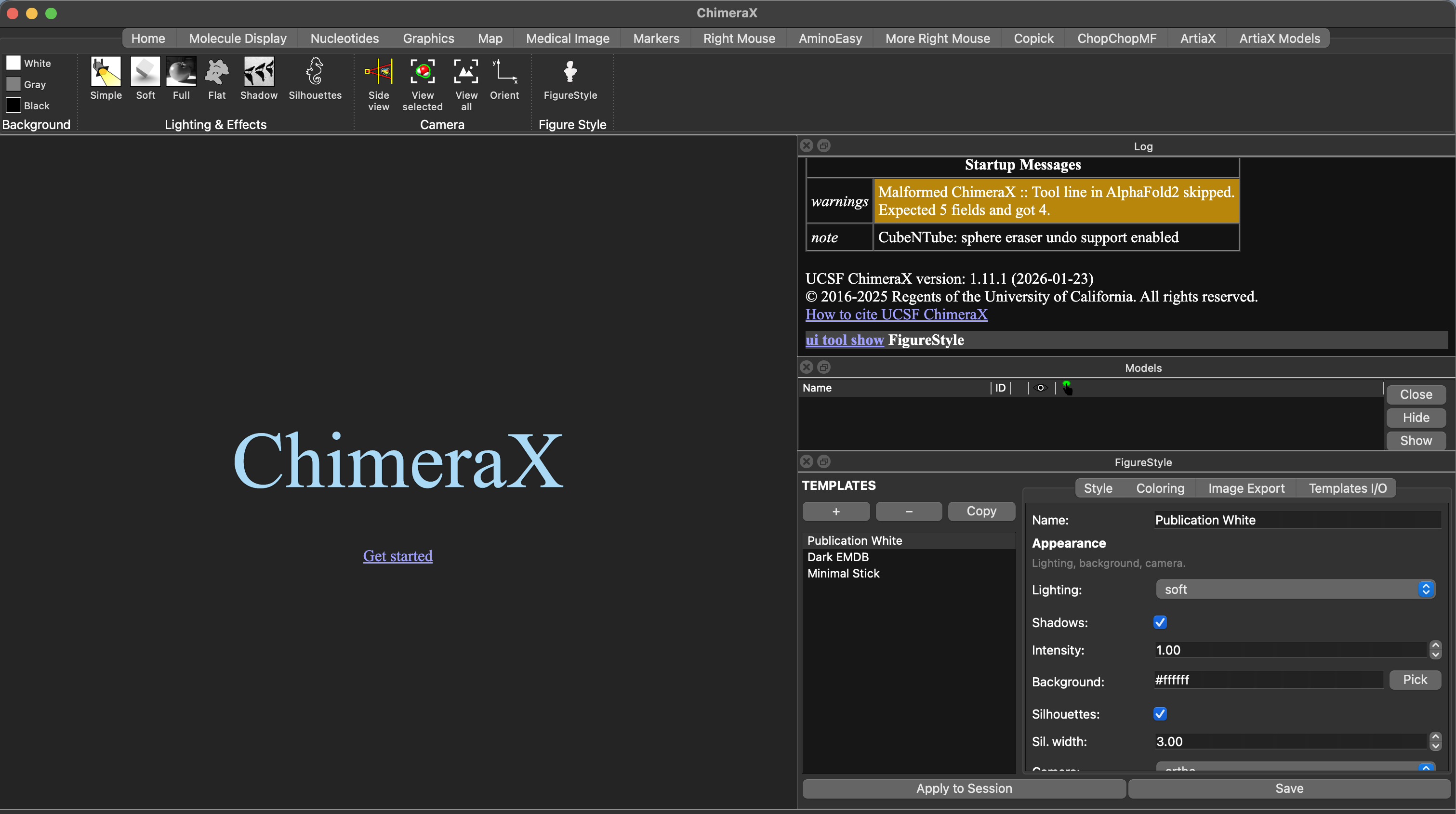
The tool panel
The tool docks as a panel: a template list on the left, four tabs on the right (Style, Coloring, Image Export, Templates I/O), and Apply to Session / Save always visible at the bottom.
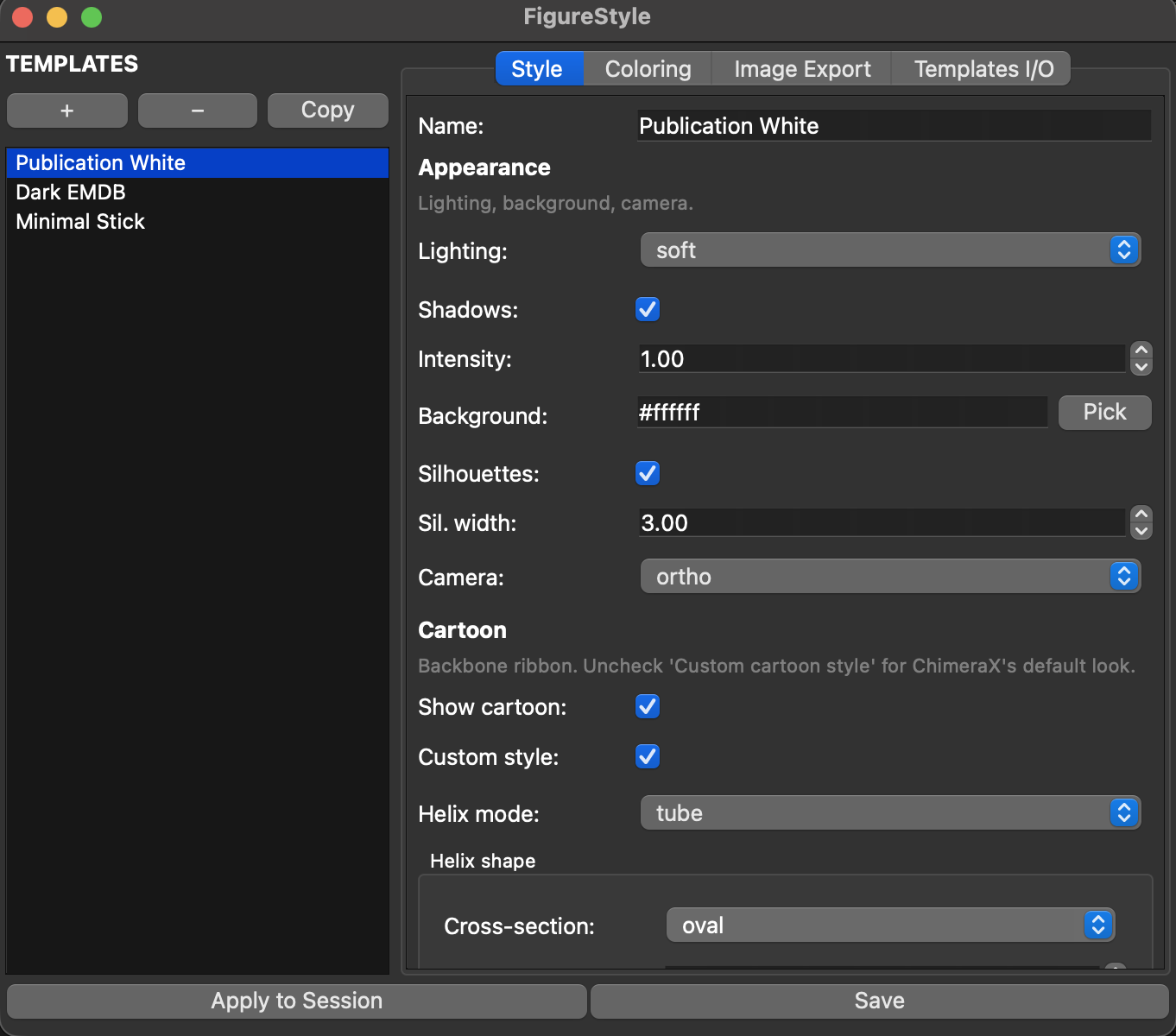
The Style tab's Cartoon section controls per-type helix/strand/coil shape:
Creating and editing a template
- Click + in the template list for a blank template, or select one and click Copy to duplicate it under a new name.
- Edit settings across Style, Coloring, and Image Export.
- Click Save to write your changes back to the selected template — this does not touch your current ChimeraX session.
- Click Apply to Session to actually run the template's style on whatever is open right now.
Renaming: change the Name field, then Save — a name collision asks whether to overwrite.
Built-in templates can't be overwritten
Publication White, Dark EMDB, and Minimal Stick are protected — editing one and clicking Save without renaming it shows a warning instead of saving. Click Copy first if you want to build on one of them.
Coloring
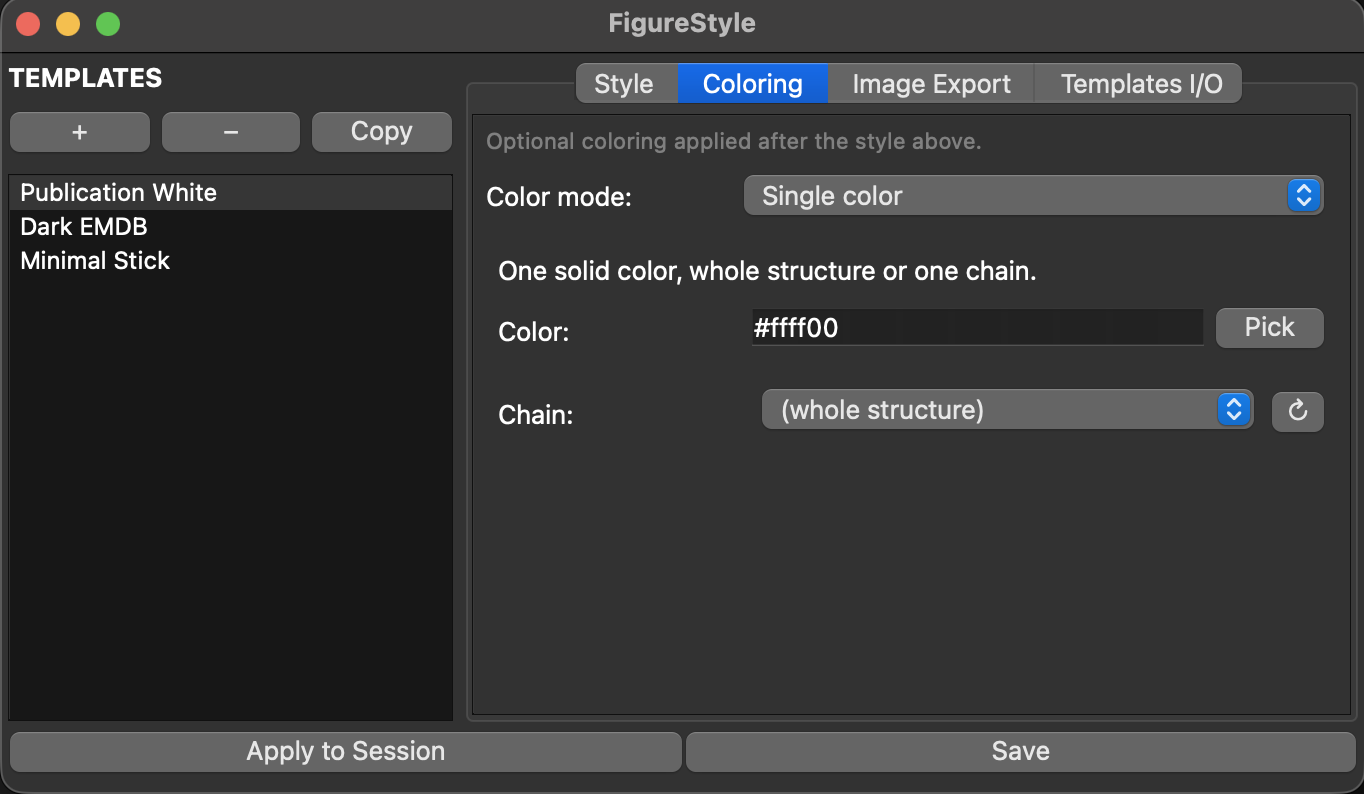
Pick a Color mode: None, Single color (optionally restricted to one open chain), By chain (rainbow palette), By B-factor (with a color key), By heteroatom, or AlphaFold pLDDT — colors ligands/waters and the whole structure by AlphaFold's own confidence scale automatically.
Image export
Set width/height/supersample/format (PNG, JPEG, TIFF), then click Save Image... to render the current ChimeraX view with those settings.
Transparent background
Only meaningful for PNG/TIFF — JPEG has no alpha channel, so FigureStyle always exports it opaque regardless of the Transparent checkbox.
Backing up and sharing templates
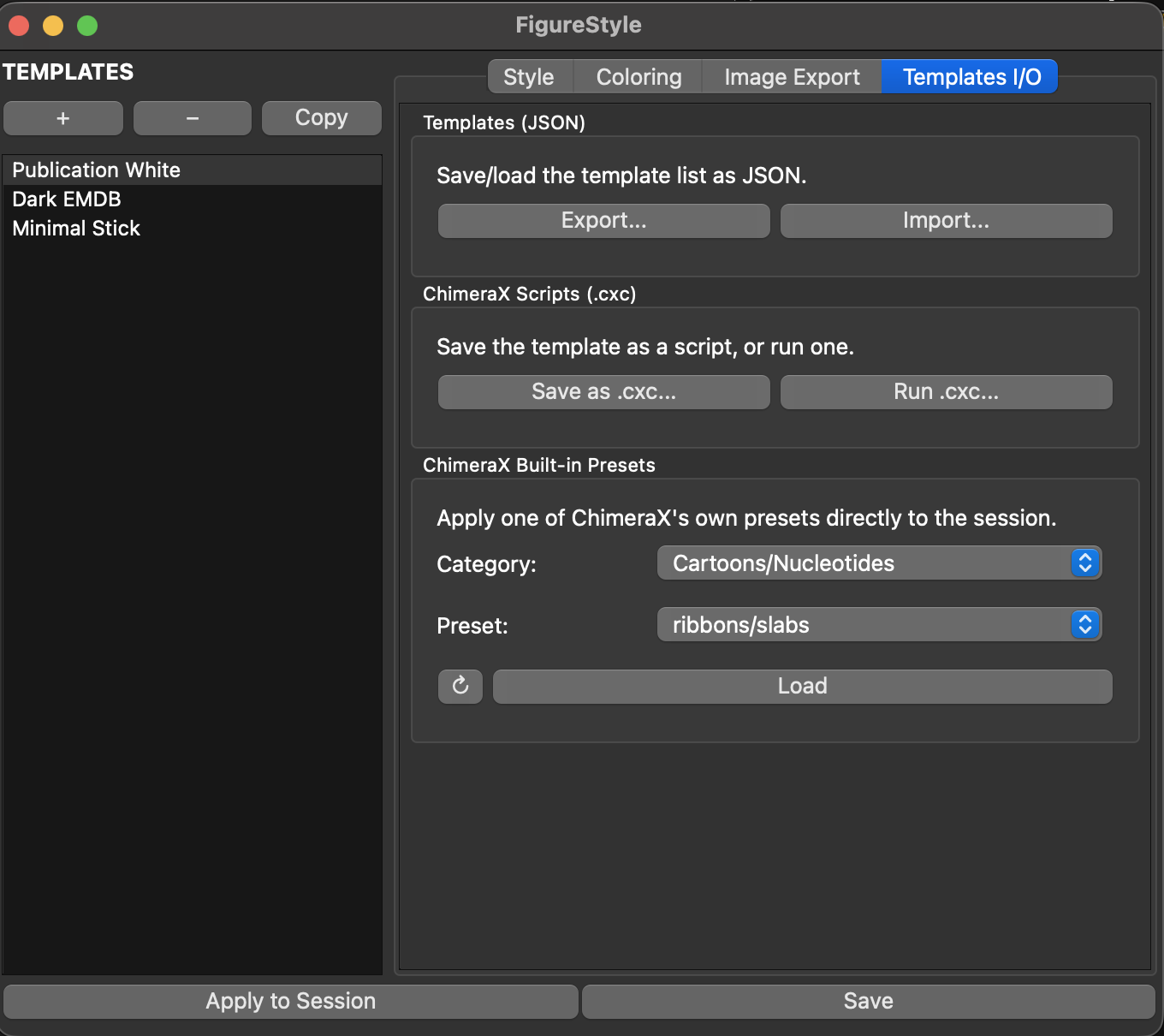
In Templates I/O:
- Export... / Import... — save your whole template list to a JSON file, or load one back in. Same-named templates are overwritten, new names are added alongside your existing ones.
- Save as .cxc... / Run .cxc... — turn a template into a standalone ChimeraX script (or run one), no plugin required to use the script afterward.
- ChimeraX Built-in Presets — apply one of ChimeraX's own presets directly, independent of your saved templates.
Sharing a template you made with others
- Templates I/O → Export... for a
.jsonfile, or Save as .cxc... for a standalone script. - Send that file directly to whoever you want to share it with — they use Import... (or Run .cxc...) to load it in.
- To contribute it back for other users to discover, submit the
.jsonor.cxcfile either way:- Open a GitHub Issue or pull request with the file attached, or
- Email it to lukasinscience@gmail.com
Include a short description of what it's for. Accepted submissions get added to the
community-templates/
folder in the repo.
Community templates
Browse and download templates other users have submitted:
community-templates/
— download the file, then Import... or Run .cxc... as above. Nothing's been submitted
yet — be the first.
Command line
Templates are created and tuned in the GUI; once saved, every one of them is fully usable from the
command line — in a .cxc script, ChimeraX run headlessly (--nogui), or driven by another tool
(including an LLM agent controlling ChimeraX).
Lists all saved template names.
Prints every field of a template as JSON — useful for inspecting what a template does before applying it.
Applies a saved template's style to the current session — useful in scripts or for styling many figures without opening the GUI each time.
Applies the template and saves an image in one step.
Changes one or more fields of an existing template and saves it. Covers the fields you'd tweak most
often from a script: lighting, bgColor, transparentBg, silhouettes, silhouetteWidth,
cameraMode, showCartoon, cartoonHelixMode, showAtoms, atomStyle, showSurface,
colorMode, colorSingle, colorPalette, imageWidth, imageHeight, supersample,
imageFormat. For anything beyond this set (fine-grained cartoon xsection/width/thickness per
secondary-structure type, B-factor ranges, etc.), edit the template in the GUI.
Copies a template under a new name — handy before set if you don't want to change the original.
Deletes a template (built-in templates are protected and can't be deleted this way — copy one with
duplicate first).
Citation
If FigureStyle helped produce a figure in a paper or presentation, a mention of
"ChimeraX-FigureStyle (Lukas W. Bauer)" is appreciated but not required. Machine-readable citation
metadata is in
CITATION.cff.
License
MIT — see
LICENSE.txt.
Authors
Lukas W. Bauer, with AI-assisted development by Claude (Anthropic).